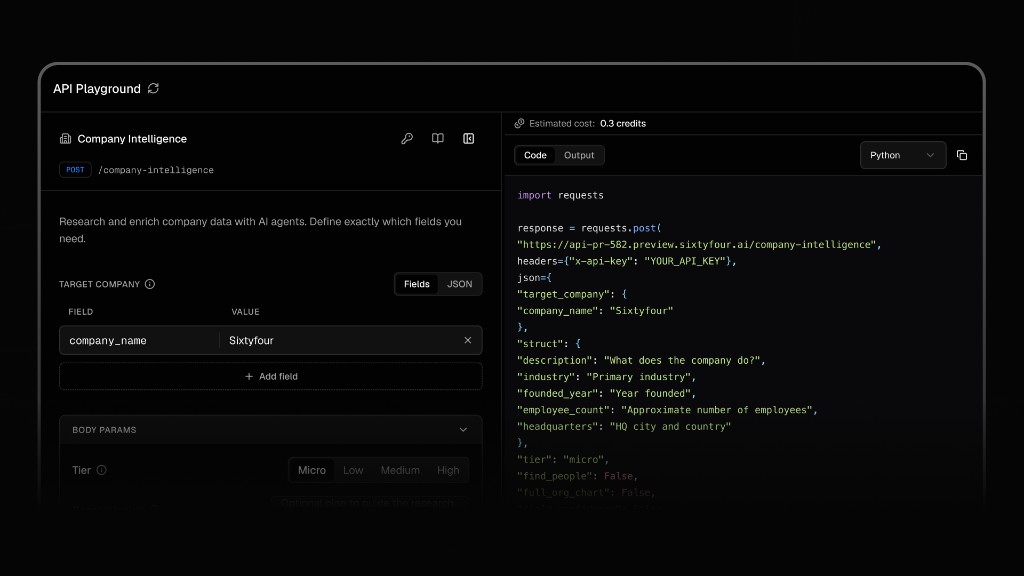
Explore every endpoint interactively before writing a line of code. The API Playground lets you build requests, inspect live responses, and copy generated code snippets directly into your project.
Open the API Playground
Run live API requests against Company Intelligence, People Intelligence, Find Email, Find Phone, and more — no setup required.
The findings field in API responses is deprecated. It currently returns an empty list and will be removed in a future update. Use structured_data and notes instead.
{ "confidence_score": 9.0, "findings": [], // Deprecated - will be removed in a future update. Use structured_data and notes instead. "notes": "Sixtyfour AI Inc., verified by domain sixtyfour.ai, is a San Francisco-based AI company focused on developing an orchestration layer for company and people intelligence using AI research agents. The company builds AI research agents that enrich people and company data on demand, enabling data enrichment, email finding, and custom research APIs for sales intelligence and prospecting workflows. The official website is https://sixtyfour.ai and the SaaS product interface is available at https://app.sixtyfour.ai. Developer documentation is provided at https://docs.sixtyfour.ai/introduction. The company is SOC 2 Type 2 compliant (https://compliance.sixtyfour.ai/overview), underlining a commitment to security and compliance. The legal name is Sixtyfour AI Inc., and the company is privately held, founded in 2025 with headquarters in San Francisco, California, United States. The employee count is approximately 6-7, with key executives including co-founders Saarth Shah and Christopher Price, and founding engineers Hashim Khawaja and Erik Scarlatescu as per LinkedIn data. The company received a pre-seed funding round led by Y Combinator, raising $500,000. Industry classification is Research Services, focusing on artificial intelligence, market research, and sales. The LinkedIn company profile URL is https://www.linkedin.com/company/sixtyfourai, verified to belong to the target company. Twitter presence is at https://www.twitter.com/sixtyfourai. The company leverages a mature tech stack including Python, OpenAI, Elasticsearch, Redis, React, and more. Active job postings include roles in AI engineering and operations.", "org_chart": null, "references": { "https://app.sixtyfour.ai": "Sixtyfour AI SaaS application login and product platform.", "https://app.sixtyfour.ai/login": "Sixtyfour AI SaaS platform login page", "https://compliance.sixtyfour.ai/overview": "Compliance and SOC 2 Type 2 certification overview of Sixtyfour AI.", "https://docs.sixtyfour.ai/introduction": "Official Sixtyfour AI developer documentation site.", "https://sixtyfour.ai": "Official Sixtyfour AI website, source of company description and product information.", "https://www.linkedin.com/company/sixtyfourai": "Sixtyfour AI LinkedIn company profile provides company overview, employees, and executive information.", "https://www.sixtyfour.ai": "Official website of Sixtyfour AI - company overview and platform details" }, "structured_data": { "company_name": "Sixtyfour AI", "industry": "Intelligence infrastructure (AI-powered people & company intelligence)", "num_employees": "Approximately 6-7", "website": "https://sixtyfour.ai" }}
Was this page helpful?
Assistant
Responses are generated using AI and may contain mistakes.